The Helm
One feed of everything that waits on you, across all your projects. When the crew has a question or needs a yes, a card appears here and you answer it.
On every plan
What it is
An AI crew that works on its own still needs you now and then. It has a question only you can answer, a plan to approve, or a command that could do damage. If those requests arrive by email, in a chat and in three different apps, you spend your day hunting for them.
The Helm puts them in one place. Maria runs a bakery and has two projects: her shop site at mariasbakery.shipitfam.com and a newsletter. Both send their questions to the same Helm. She opens it once and sees every card that waits on her.
A step is one short run with one task. It either finishes or needs you. While it waits for you, the crew is parked on that mission. Before every step finishes, the crew writes what it learned on the treasure map, the project's notebook, so a question you answered once does not come back.
The cards
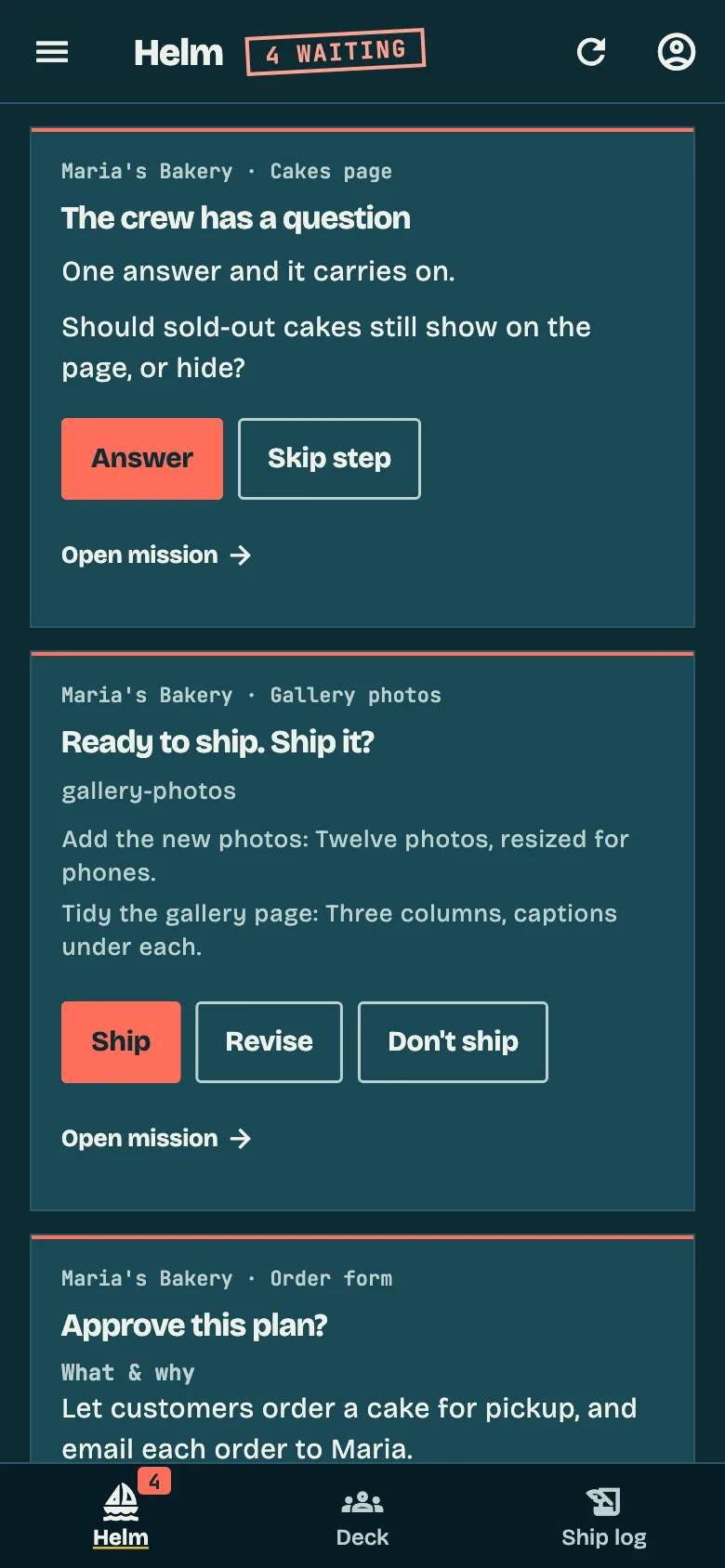
Each kind of request has its own card, with the buttons that fit it.
- A question from the crew. Up to four at once, each with options to tap or a box for your own words.
- Approve this plan? The plan for a mission, before anything is built.
- Allow a command? The crew wants to run something risky. You choose Allow or Deny, and Deny takes a note.
- Step done. Continue? Appears only if you switched on pausing after steps.
- Over budget. The mission passed the budget you set.
- Ready to ship. Ship it? For projects with a code repository set to ask first. You pick Ship, Revise or Don't ship.
- Step failed. The reason in one sentence, and three choices: Retry, Retry with a note, or Skip.
The crew has a question
Should the order form ask for a pickup time, or only a date?
Answering
Tap an option, type a reply, or dictate it with the microphone. Hands-free mode reads the Helm aloud and reads your answer back before it sends. It works in English and Bulgarian.
Plan approvals and step reviews can be answered in one go, so a morning with six plans waiting takes one pass.
Push notifications tell you when something needs you, when a mission completes or fails, and when a teammate asks you something. Each kind can be switched off.
By default the crew stays parked on a mission until you answer. Turn on "Keep working while I answer" and it moves on to your next mission in the meantime.
How much the crew asks
Three presets set how often the Helm hears from the crew.
- Captain. Plans only, and the crew keeps working while you answer.
- First mate. Plans and risky commands. This is the default.
- Lookout. Plans, risky commands, and a look after every step.
Some commands ask whatever the preset: sudo, rm -rf, docker, ssh, a git push and a publish.
For developers
On a team, a mission assigned to a person sends its plan and ship questions to that person's Helm. Georgi can assign a mission to Mira and she gets its questions, while any member can still answer a question addressed to someone else.
From Builder up you can also answer from Claude or ChatGPT through ShipItFam's connector, so the Helm is reachable from the assistant you already have open. The Teams page covers seats and assignment.
On each plan
| Plan | The Helm |
|---|---|
| Free | The full Helm in the app. No Claude or ChatGPT connector. |
| Builder | The full Helm, plus answering from Claude and ChatGPT through the connector. |
| Fleet | Everything in Builder. |
Every plan runs on your own Claude subscription.
Related
Want one feed for all your projects?
Join the waitlist. We'll let you in as soon as there's a spot.
Join waitlistNext feature: Treasure map →